Stop Stuffing Everything into the System Prompt: A Practical Guide to Building Reusable AI Skills
System prompts break down fast once a team starts using AI for real work. This guide shows how to decide when a task deserves a skill, how to structure it, and how to keep a shared skills library maintainable.
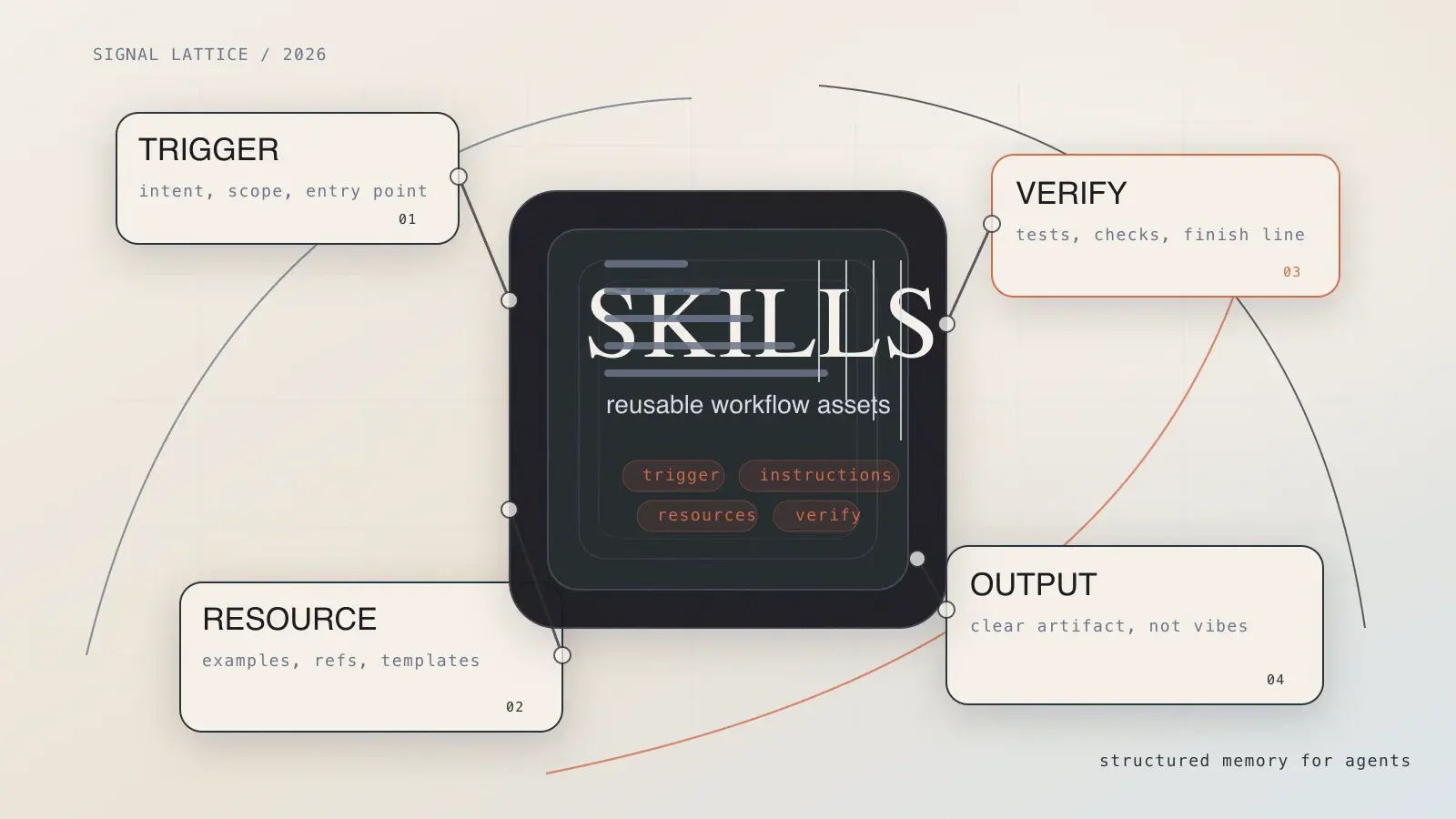
When teams first start building AI workflows, they usually make the same move: they dump everything into the system prompt.
Style rules. Edge cases. Naming conventions. “Please don’t do this again” notes from last week. Half a dozen examples. Maybe a checklist at the bottom for good measure.
It feels efficient for about a week.
Then the prompt gets bloated, nobody knows which version is the latest one, new teammates start copying giant text blocks from old chats, and the model begins acting like a smart junior hire who is being briefed by six people at once.
That is usually the moment when teams discover skills.
Not “saved prompts.” Not a fancy snippet library. I mean reusable task modules that package decision rules, process steps, reference material, and validation into something an agent can apply on demand.
Writing one skill is easy. Writing a skill that still makes sense three months later, and that other people trust enough to reuse, is the real challenge.
This guide is about that second part.
When does a task actually deserve a skill?
Not every task needs one. Sometimes a normal prompt is the right tool, and turning it into a skill just creates maintenance overhead.
My rule of thumb is simple. A task probably deserves a skill if at least three of these are true:
- The task comes up repeatedly.
- The task follows a stable process instead of pure improvisation.
- The cost of doing it poorly is noticeable.
- The result can be checked against something concrete.
A few examples make the line clearer:
- “Give me three headline ideas” usually does not need a skill.
- “Review this pull request using our team standards, prioritize real bugs, and format findings consistently” probably does.
- “Turn raw interview notes into a bilingual publish-ready draft with quotes, structure, and metadata” also probably does.
Skills work best for repeatable, rule-heavy, verifiable work. That is their sweet spot. They are much less useful when the task is truly one-off or when nobody can define what “good” looks like.
A durable skill needs four layers
Most weak skills fail for a boring reason: they explain what to do, but they do not explain when to trigger, how to structure the work, or how to know when it is finished.
If you want a skill to survive contact with real team usage, give it at least these four layers.
1. Trigger layer: make it obvious when the skill should be opened
This is usually the name and description. Tiny section, huge impact.
A weak description looks like this:
description: Helps with frontend problemsThat tells the agent almost nothing. Frontend problems could mean layout bugs, React rendering issues, accessibility regressions, tests, performance, build failures, or all of the above.
A much stronger version would be:
description: Use this skill when the user asks to debug React re-renders, repeated useEffect execution, or sluggish component interactions. Prioritize dependency arrays, unnecessary state, and list rendering.Now the agent has something it can match against intent. It knows the shape of the task and where to start looking.
2. Instruction layer: write a sequence, not a personality
This is where a lot of skills go sideways. People start writing like they are casting an actor:
You are a world-class expert who delivers thoughtful, comprehensive, high-quality results.
Nice energy. Not much operational value.
Agents usually benefit far more from order, constraints, and output rules:
## Instructions
1. Read the changed files and the test results first.
2. Prioritize behavior regressions, performance issues, and security risks.
3. For each finding, include the file, line, and why it matters.
4. If there is no blocking issue, say so plainly instead of inventing suggestions.
That is useful because it defines execution, not mood.
3. Resource layer: keep the heavy stuff outside the main file
Strong skills rarely live in a single markdown file forever.
At some point you will want:
references/for standards and source materialexamples/for good and bad samplestemplates/for repeatable output shapesscripts/for validation or automation
One of the most common mistakes is stuffing every detail directly into SKILL.md. That works until the file turns into a novella and nobody wants to update it.
The better pattern is a short control file plus external resources:
my-skill/
├── SKILL.md
├── references/
│   ├── editorial-style.md
│   └── release-checklist.md
├── templates/
│   └── weekly-report.md
└── scripts/
    └── validate_links.sh
The main file handles decisions. The supporting files handle depth.
4. Verification layer: tell the agent how to know it is done
This is the layer teams forget, and it is usually the difference between a toy skill and one you can safely rely on.
If a skill explains how to produce output but never explains how to verify it, the result tends to stop at “looks plausible.”
That is not the same as complete.
A few concrete examples:
- A writing skill might check title length, summary length, and whether required metadata exists.
- A refactoring skill might run tests, linting, and type checks.
- A publishing skill might confirm that images exist, frontmatter is complete, and internal links follow site conventions.
Even a tiny verification section helps a lot:
## Verification
- Confirm the output file exists
- Run the relevant test or validation script
- If verification fails, report the failure instead of pretending the task is done
Those three lines are often more valuable than another paragraph of background theory.
A reusable team-skill template
If you are building a shared skills library, start simple. Something like this is usually enough:
---
name: release-note-writer
description: Use this skill when the user needs release notes, update summaries, or a changelog. Prioritize user-visible changes and avoid copying commit messages directly.
---

# Release Note Writer

## Goal
Produce a release note that can be pasted into an announcement, product update page, or email.

## Inputs
- Git change history
- Merged PR summaries
- Product or operations context

## Instructions
1. Separate user-visible changes from internal maintenance work.
2. Keep only changes worth explaining externally.
3. Write in plain language, not commit language.
4. If key information is missing, list the gaps before drafting.

## Output
- One 40-70 word summary
- Three to five update bullets
- One limitation or known issue if relevant

## Verification
- Do not include internal ticket IDs
- Do not copy raw commit messages
- Confirm each bullet is understandable to a non-engineer
There is nothing flashy here. That is part of the point. Skills that last are usually boring in the best possible way. Clear inputs. Clear order. Clear output. Clear checks.
Once a team gets involved, governance matters more than writing
One person maintaining three skills is easy.
Ten people sharing thirty skills is where reality shows up.
I have seen more skills libraries fail because of governance than because of model quality. The failure modes are painfully ordinary:
- Skill names get vague, so nobody knows which one to use.
- Standards change, but the related skill never gets updated.
- Three skills drift into solving the same task with slightly different wording.
- Old skills should be retired, but they stay around and keep getting triggered.
If your team is serious about using skills, treat them like lightweight products, not disposable prompts.
At minimum, add these rules:
- Every skill needs an owner.
- Every skill should show when it was last updated.
- Every skill should define its scope clearly.
- Every team should have a way to deprecate outdated skills instead of letting them rot in place.
This is also a good place to connect skills back to review culture. If an agent keeps making the same mistake, do not just fix the output again. Fix the skill that keeps producing the mistake.
That is how teams stop patching symptoms and start improving reusable behavior.
Three failure modes that show up all the time
Failure mode 1: the description reads like a slogan
“Helps with content work.” “Improves developer productivity.” “Supports frontend tasks.”
These are not descriptions. They are posters. A skill description needs to be searchable and triggerable.
Failure mode 2: everything lives in the main file
If SKILL.md starts reading like a short book, the module boundary is already gone. Move examples, policies, and scripts out to supporting files.
Failure mode 3: there is no exit condition
Agents are often much better at starting than stopping. Without a verification rule, they tend to stop at the first answer that sounds confident.
That is why a skill needs a clear finish line, not just a starting brief.
The most practical test of a good skill
At this point, I mostly judge a skill by three questions:
- Can a new teammate use it correctly on the first try?
- Will it still make sense after three months?
- Does it leave behind something verifiable instead of just something confident?
If the answer is yes to all three, you probably built a real workflow asset instead of a temporary prompt.
That is the deeper value of skills. They do save tokens, sure. But the bigger win is organizational. Skills turn scattered know-how, buried chat history, and unwritten team habits into reusable operating logic.
Once that starts happening, your agents stop beginning from zero every time. And your workflow finally starts to accumulate instead of reset.
Reader Dispatches
No reader responses yet. Share your technical perspective below.
Related Posts
What Can OpenClaw Actually Do? 6 Practical Use Cases That Make Sense
This bilingual guide breaks down six practical OpenClaw use cases, from messaging-based personal assistance and browser automation to workspace editing, local exec, heartbeat checks, and precise cron workflows.
OpenAI Agents SDK Tutorial: Build a Research Agent That Actually Works with Responses API and MCP
Learn how to build a practical research agent with OpenAI Agents SDK, Responses API, and Hosted MCP Tool. This guide focuses on architecture, approvals, and tool boundaries instead of toy demos.
Build Autonomous AI Agents from Scratch in 2026: Complete Practical Guide
Detailed tutorial on building real autonomous AI agents from scratch in 2026, including framework selection, tool integration, multi-step reasoning implementation, and production deployment best practices.