UI UX Pro Max: Injecting Design Intelligence into Claude Code & Cursor
AI coding assistants are great at logic but terrible at aesthetics. UI UX Pro Max changes that by acting as a 'Design Intelligence' skill for your AI workflow. Here's how it works.
It’s 2026, and if you’re a developer, you’ve probably had this conversation with your AI assistant:
You: “Make me a login page.” AI: “Sure!” (Proceeds to generate a generic, unstyled HTML form that looks like it’s from 2010) You: “No, make it look modern.” AI: (Adds some random border-radius and a bright blue button)
This is the “Programmer Art” problem, amplified by AI. While models like Claude 4.5 Sonnet and GPT-5 are brilliant at logic, backend architecture, and unit tests, they lack Design Intelligence. They don’t inherently “know” what makes a UI look professional, cohesive, or accessible.
Enter UI UX Pro Max.
This isn’t a CSS library. It’s an AI Skill—a structured knowledge base designed to be consumed by LLMs. It acts as the missing bridge between “code generation” and “design systems.”
What is UI UX Pro Max?
Think of it as a downloadable “Design Brain” for your AI.
It’s an MCP (Model Context Protocol) compatible skill that provides your AI coding assistant (like Claude Code, Cursor, or Windsurf) with a massive database of curated design knowledge.
Inside this “brain,” you’ll find:
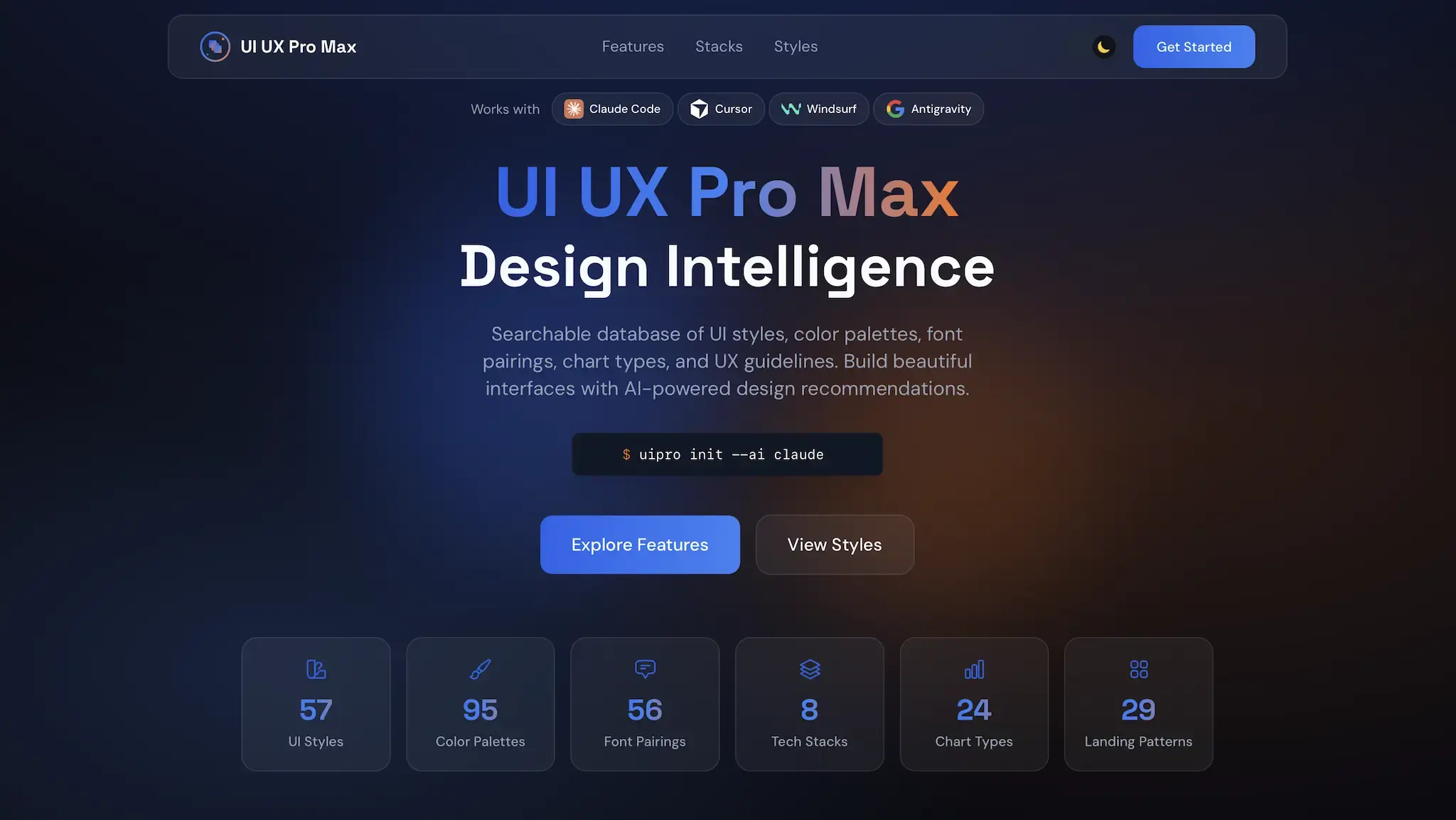
- 57 UI Styles: From standard Material Design to trendy Glassmorphism, Neumorphism, and Bento Grids.
- 95 Industry Color Palettes: Pre-validated color schemes for SaaS, Fintech, HealthTech, E-commerce, etc.
- 56 Typography Pairs: Google Font combinations that actually look good together.
- UX Heuristics: Rules for accessibility (WCAG), responsive behavior, and interaction states.
When you install this skill, you’re essentially giving your AI a degree in UI/UX design.
How It Works: The “Design System Generator”
The standout feature of v2.0 is the Design System Generator. Instead of prompting for individual styles, you describe your product, and the AI generates a cohesive design system for itself to follow.
The Workflow
1. The Request You tell your AI: “I’m building ‘Serenity Spa’, a luxury wellness booking site for high-end clients.”
2. The Reasoning (Powered by UI UX Pro Max) The AI accesses the skill and determines:
- Style: Needs to be “Soft UI” or “Minimalist Luxury”.
- Colors: Needs calming, organic tones (Soft Pink, Sage Green) with Gold accents.
- Typography: Needs an elegant serif for headings (Cormorant Garamond) and a clean sans-serif for body text (Montserrat).
- Layout: Needs high-impact imagery (Hero-Centric) and trust signals (Social Proof).
3. The Output The AI generates a structured Design System document (JSON/Markdown) defining all these variables.
4. The Code Now, when you ask for a component: “Build the booking form.” The AI uses that design system to generate the code. It uses the exact hex codes, the correct font classes, and applies the specific shadow utilities defined in the “Soft UI” style.
The result is a component that looks consistent with the brand, not a random guess.
Vibe Coding: A New Era for Frontend Devs
This tool enables a workflow we call “Vibe Coding”.
In Vibe Coding, you stop micromanaging pixels. You don’t tell the AI “make the padding 20px.” You tell it “give this section a more spacious, airy vibe.”
Because the AI now understands what “spacious” means in the context of your design system (e.g., py-24 instead of py-8), it can execute on high-level aesthetic intent.
Installation
UI UX Pro Max offers multiple integration methods depending on your AI workflow.
Option A: Claude Code Integration (Recommended)
If you use the official Anthropic CLI tool, you can mount the skill directly via the MCP protocol:
- Open your Claude Desktop config file (
~/Library/Application Support/Claude/claude_desktop_config.json) - Add the following to the
mcpServersfield:"ui-ux-pro-max": { "command": "npx", "args": ["-y", "@nextlevelbuilder/ui-ux-pro-max-mcp"] } - Restart Claude Code and type
/mcpto verify it’s loaded.
Option B: Cursor Integration
For Cursor users, the simplest method is injecting the design rules via .cursorrules:
- Create a
.cursorrulesfile in your project root. - Add these core instructions:
# UI/UX Design System Rules - BEFORE generating any UI code, you MUST invoke the Design System Generator. - Default to Tailwind CSS and strictly follow the 4px/8px grid system. - All interactive elements (buttons, cards) MUST have Hover/Active states and smooth transitions (transition-all duration-300). - Prefer Lucide React for icons. - (Optional) Add the NPM command above in Cursor Settings > MCP to give Cursor dynamic access to the full design library.
Real-World Use Cases
-
The Solo Founder (Indie Hacker) You have a great SaaS idea but zero budget for a designer. UI UX Pro Max acts as your “Design Co-founder,” ensuring your MVP doesn’t look like a hobby project.
-
The Backend Developer You can build complex APIs but struggle with CSS Flexbox alignment. This tool handles the visual layer, letting you focus on the logic.
-
Rapid Prototyping Agencies can generate 3 different visual directions (e.g., “Brutalist,” “Corporate,” “Playful”) for a client in minutes, just by swapping the “Style” parameter in the prompt.
Limitations
- It’s still AI: It can hallucinate CSS classes if not paired with a solid understanding of your framework (e.g., Tailwind vs. Bootstrap).
- Generic-ish: While “professional,” the designs can sometimes feel a bit “template-y.” It won’t invent a groundbreaking new UI paradigm; it executes existing ones well.
- Context Window: Loading a massive design system into every prompt can eat up context tokens, though newer models with 200k+ context windows handle this easily.
Verdict
UI UX Pro Max is a glimpse into the future of software development where Design Intelligence is a commodity.
It doesn’t replace the need for human taste—you still need to know what looks good—but it removes the manual labor of getting there. For any developer using AI to build frontend interfaces, this is an essential upgrade.
References:
Reader Dispatches
No reader responses yet. Share your technical perspective below.
Related Posts
Claude Opus 4.6 Explained: 1M Context, Benchmark Claims, Pricing and Who Should Use It
What Anthropic's Claude Opus 4.6 changed: a 1M-token context window in beta, its reported benchmark results, API pricing, new developer controls, and when it is worth using over cheaper models.
Clawdbot: The 'Agentic' AI That Actually Does the Work (And Why It Scares Me)
Move over, chatbots. Clawdbot is an open-source agent that lives on your Mac, controls your terminal, and texts you back on WhatsApp. Here is the deep-dive technical review and setup guide you won't find in the hype headlines.
Claude Code vs. Codex: The Ultimate Showdown of AI Developer Tools
The battle for the best AI coding assistant is heating up. This article provides a comprehensive comparison between Claude Code and OpenAI Codex (GPT-5 based), analyzing their performance in code generation, context understanding, debugging, and workflow integration to help you choose the right partner.