Z-Image Turbo Explained: Alibaba's 6B Open Image Model, 8-Step Generation and Its Limits
An explainer on Z-Image Turbo from Alibaba's Tongyi-MAI team: the 6B S3-DiT architecture, Decoupled-DMD distillation, how to run it with diffusers, use cases and limitations, based on the official model card.
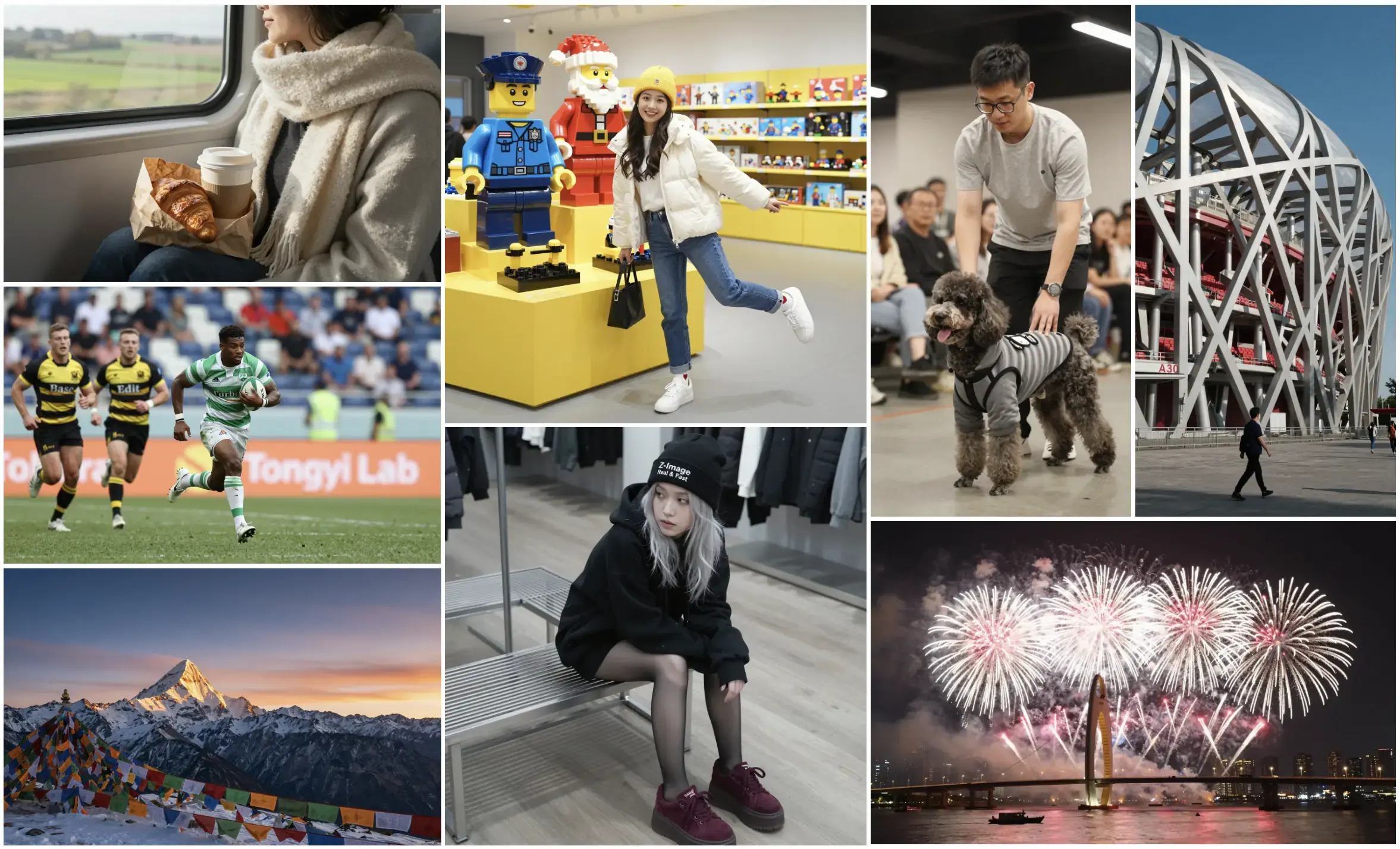
Open image models have been getting bigger. Black Forest Labs’ FLUX.2 [dev] has 32 billion parameters, and Tencent’s HunyuanImage 3.0 is an 80-billion-parameter mixture-of-experts model. Z-Image, from Alibaba’s Tongyi-MAI team, goes the other way: a 6-billion-parameter model family designed to run on consumer GPUs. Its fastest variant, Z-Image-Turbo, generates an image in 8 steps. This article explains what the model is, how it works, how to run it, and where its limits are, based on the official model card and technical reports.
The Z-Image family
According to the Hugging Face model card, Z-Image currently has four variants, all at 6B parameters:
| Variant | Steps | CFG | Task | Notes from the model card |
|---|---|---|---|---|
| Z-Image-Turbo | 8 | No | Generation | Distilled; “very high” visual quality, low diversity |
| Z-Image | 50 | Yes | Generation | Foundation model; better diversity and suited to fine-tuning |
| Z-Image-Omni-Base | 50 | Yes | Generation and editing | Raw base for community fine-tuning |
| Z-Image-Edit | 50 | Yes | Editing | Instruction-based image-to-image |
The weights are released under the Apache 2.0 licence, which permits commercial use. At the time the card was written, Omni-Base and Edit were listed as “to be released”, so check the card for current availability.
What the model card claims
The team describes Z-Image-Turbo as offering:
- Sub-second latency on enterprise H800 GPUs, and fitting within 16 GB VRAM consumer devices.
- Photorealistic generation.
- Bilingual text rendering in English and Chinese, a weak spot for many image models.
- Instruction adherence, with an optional “prompt enhancer” that uses reasoning to expand short prompts.
On performance, the card points to Elo-based human preference results on Alibaba’s AI Arena leaderboard, where Turbo is described as competitive with leading models and state-of-the-art among open-source ones. That leaderboard is run by Alibaba itself, so independent comparisons are worth checking before drawing conclusions.
How it works
S3-DiT architecture
Z-Image uses a Scalable Single-Stream Diffusion Transformer (S3-DiT). Text tokens, visual semantic tokens and image VAE tokens are concatenated into one sequence and processed by a single stream. Dual-stream designs, by contrast, keep separate weights for text and image paths. The team argues the single stream gives better parameter efficiency, which is how a 6B model aims to compete with much larger ones. Details are in the technical report.
Decoupled-DMD distillation
Turbo’s 8-step speed comes from distillation. The Decoupled-DMD paper argues that Distribution Matching Distillation works through two separate mechanisms: CFG augmentation, which the authors call the main driver, and distribution matching, which acts as a regulariser. Treating them separately let the team tune each one.
A further step, DMDR, combines distillation with reinforcement learning to improve semantic alignment and aesthetics.
A practical consequence: Turbo is designed to run without classifier-free guidance. The official example sets guidance_scale=0.0, so negative prompts have little effect. If you rely on negative prompts, the base Z-Image model is a better fit.
Running it
With diffusers
Z-Image support was merged into Hugging Face diffusers. The model card’s example:
import torch
from diffusers import ZImagePipeline

pipe = ZImagePipeline.from_pretrained(
    "Tongyi-MAI/Z-Image-Turbo", torch_dtype=torch.bfloat16)
pipe.to("cuda")
# pipe.enable_model_cpu_offload()  # for memory-constrained GPUs

image = pipe(prompt="A night market street with neon signs in Chinese",
             height=1024, width=1024,
             num_inference_steps=9,   # results in 8 DiT forward passes
             guidance_scale=0.0).images[0]
image.save("example.png")
Note the step count: the card uses num_inference_steps=9, which it says yields 8 actual DiT forward passes. CPU offloading lowers VRAM use at the cost of speed, and Flash Attention or torch.compile can speed things up on supported hardware.
With ComfyUI or online demos
ComfyUI supports Z-Image through standard workflows, and the card links demos on Hugging Face Spaces and ModelScope if you want to try prompts before downloading the model weights, text encoder and VAE.
Use cases
- Bilingual marketing and e-commerce visuals, where Chinese text on signs, packaging or posters needs to be legible.
- Rapid ideation on a single consumer GPU, where 8-step generation makes iteration quick.
- Fine-tuning projects, using the base Z-Image rather than Turbo; the card rates Turbo’s fine-tunability as not applicable.
Limitations
- Low diversity in Turbo. The card itself rates Turbo’s diversity as low; outputs for the same prompt can look similar. Use the base model for more variety.
- No CFG. Negative prompts and guidance tuning are not part of the Turbo workflow.
- Editing is a separate model. Turbo is text-to-image only.
- Text rendering is good, not perfect. Complex or long strings can still contain errors, so check outputs before publishing.
- Responsible use. Like other photorealistic models, it can produce images resembling real people; avoid generating likenesses of real individuals without consent, and follow the licence and local law.
Bottom line
Z-Image-Turbo shows that careful architecture and distillation can get a 6B model into the same conversation as much larger open models, while staying usable on a 16 GB consumer GPU. Its strengths are speed and bilingual text; its trade-offs are low diversity and the lack of guidance. For most users, the practical choice is Turbo for fast drafts and the base Z-Image when variety or fine-tuning matters.
Sources
Reader Dispatches
No reader responses yet. Share your technical perspective below.
Related Posts
FLUX.2 Klein Review: The Speed King of Open Source AI Art
Black Forest Labs releases the FLUX.2 Klein series, unifying text-to-image and editing in one compact model. A guide to the 4B and 9B versions, what they are designed for, and how to get started.
What Is AIGC? A Plain-English Map of AI, Machine Learning, Deep Learning, Generative AI, and LLMs
Stop getting lost in buzzwords. This guide explains how AIGC (Generative AI), AI, ML, DL, and LLMs fit together, plus a practical checklist for choosing tools without getting burned.
Avataar AI Launches Varya: A Distilled Video Generation Model That's 10x Faster and Culturally Aware
Indian startup Avataar AI releases Varya, a video generation model distilled from Alibaba's open-source Wan 2.2, delivering 10x speed gains, dramatically lower costs, and deep cultural adaptation for the Indian market — backed by the government's $1.2B India AI Mission.