AI Code Review Tools Compared: GitHub Copilot, Cursor Bugbot, CodeRabbit and Amazon Q Developer
How four AI pull-request reviewers differ in workflow, integration, configuration and pricing model, based on each vendor's documentation, plus a checklist for running your own trial.
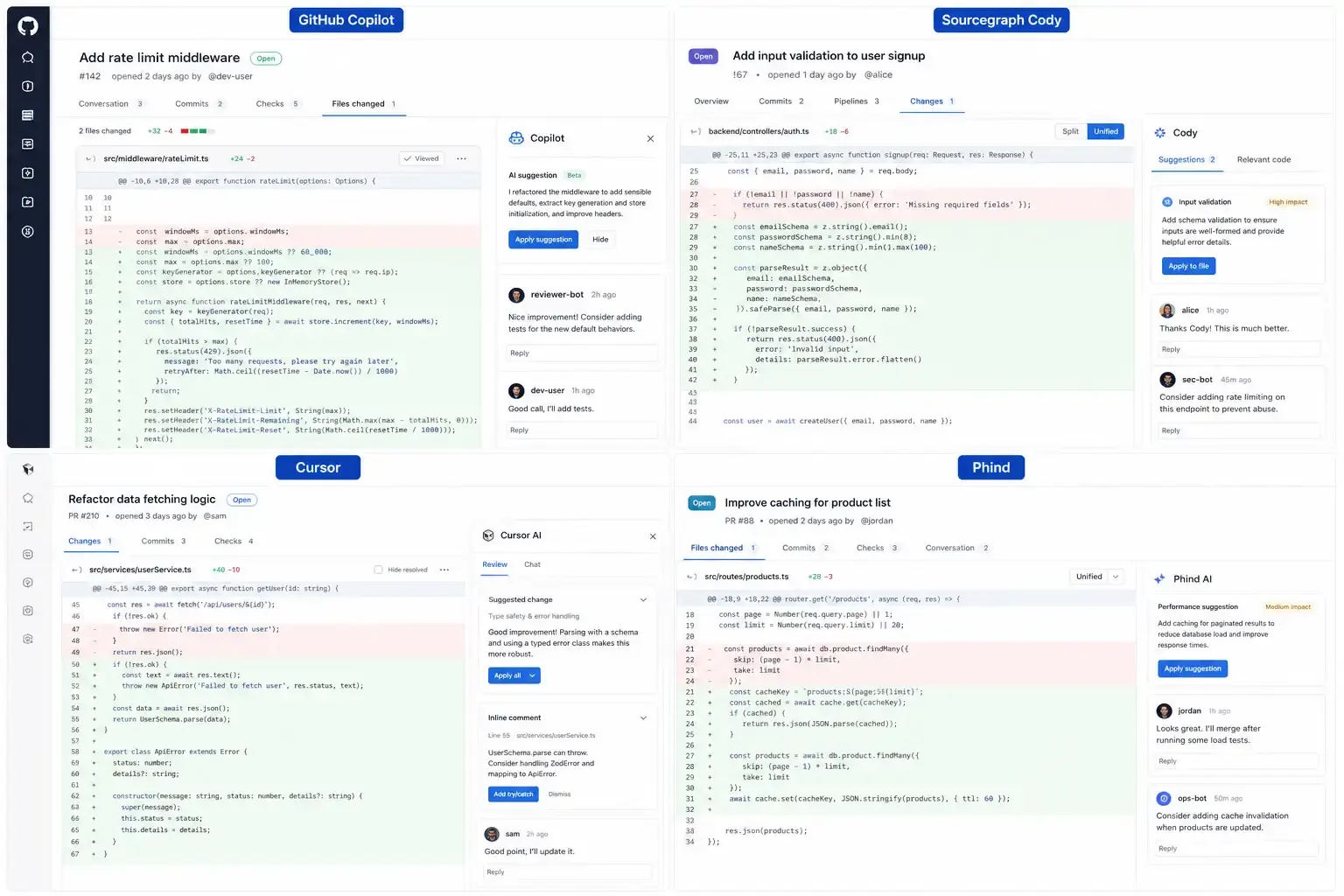
Bottom line: GitHub Copilot code review is the lowest-friction option for teams already on GitHub and Copilot; Cursor’s Bugbot suits teams that already work in Cursor; CodeRabbit is the most configurable dedicated reviewer and works across several Git hosts; Amazon Q Developer is most useful when your code runs on AWS. No public, independent benchmark settles which catches the most bugs, so the reliable way to choose is a short trial on your own pull requests.
This comparison is based on each vendor’s public documentation and pricing pages, linked throughout. It does not report bug-detection rates, because those depend heavily on the codebase, language and configuration, and vendor-neutral measurements are scarce.
What each tool is
GitHub Copilot code review. Copilot can be requested as a reviewer on a pull request, and it leaves comments with suggested changes that can be applied from the PR page. Repository and organization admins can configure automatic reviews, and custom instructions can steer what it focuses on. See GitHub’s documentation on Copilot code review. It is available on paid Copilot plans; see Copilot plans for current limits.
Cursor Bugbot. Bugbot is Cursor’s PR reviewer. It is installed as a GitHub app, reviews pull requests, and its comments can be opened directly in Cursor to apply a fix. Project-level rules files let teams describe what should be flagged. See Cursor’s Bugbot documentation and Cursor pricing.
CodeRabbit. CodeRabbit is a dedicated AI review service. It posts a PR summary and line-by-line comments, supports chat with the bot inside the PR, and is configured through a YAML file in the repository (path filters, review profiles, custom instructions). It integrates with GitHub, GitLab, Azure DevOps and Bitbucket. See the CodeRabbit docs and pricing; the vendor has offered free use for public open-source repositories.
Amazon Q Developer. Q Developer can run code reviews in the IDE and through its integrations, combining static analysis and generative AI to find security and quality issues, and it offers AWS-specific guidance. See Amazon Q Developer code reviews and Q Developer pricing.
How they differ in practice
| Copilot code review | Cursor Bugbot | CodeRabbit | Amazon Q Developer | |
|---|---|---|---|---|
| Where reviews appear | GitHub PRs | GitHub PRs, fix in Cursor | PRs on several Git hosts | IDE and supported integrations |
| How you steer it | Custom instructions | Rules files | Repo YAML config, profiles, chat | Scan scope and settings |
| Best fit | Teams already paying for Copilot | Teams standardised on Cursor | Teams wanting a configurable, host-agnostic reviewer | AWS-heavy codebases |
| Pricing model | Part of paid Copilot plans | Separate Cursor add-on | Per-developer subscription | Free and Pro tiers |
Check the linked pricing pages before buying; plans and limits change often.
Details from the documentation
A few documented behaviours matter when you set these tools up:
- GitHub Copilot code review can be requested on a pull request or turned on automatically for a repository, in which case Copilot reviews every pull request regardless of whether the author has a Copilot license. Organisations can also let members without a license request reviews, billed against the organisation’s Copilot usage, after enabling the relevant policies. Suggestions can be applied in a couple of clicks, and a preview feature can hand them to Copilot’s cloud agent to open a follow-up pull request (GitHub Docs).
- Cursor Bugbot analyses PR diffs and leaves comments with explanations and fix suggestions, either on every PR update or when triggered manually. It reads existing PR comments to avoid duplicate suggestions, skips pull requests above a default size limit and asks you to split them, and caps how many reviews it runs on PRs opened by bot accounts. It supports GitHub, GitLab, Bitbucket and Azure DevOps (Cursor docs).
- CodeRabbit has expanded beyond PR comments into triage of the review queue by value and risk, summaries of large diffs, security scanning for vulnerabilities and leaked secrets, and reviews from IDE extensions and a command-line tool (CodeRabbit docs).
Signal versus noise
The main complaint about AI reviewers is noise: many low-value comments that train developers to ignore the bot. Practical ways to keep signal high:
- Configure each tool with project conventions so it does not flag accepted patterns.
- Keep pull requests small; every tool here performs worse, or refuses, on very large diffs.
- Track how many AI comments lead to code changes. If the rate is low after a few weeks, tighten configuration or switch tools.
- Avoid running several AI reviewers on the same repository; overlapping comments add noise without adding much coverage.
What these tools cannot replace
All four are pattern- and context-based assistants. They can miss bugs that depend on business rules, and they can produce confident but wrong suggestions. Treat AI review as a first pass that frees human reviewers to focus on design and logic, not as an approval gate. Keep tests, type checking, linters and dedicated security scanners (SAST and dependency scanning) in CI.
How to run your own trial
- Pick 10 to 20 recently merged pull requests where you already know what reviewers found, including at least a few real bugs.
- Re-open them as fresh PRs (or use a fork) and run each tool with default settings.
- Record for each tool: real issues found, comments your team would dismiss as noise, and whether suggested fixes were correct.
- Then spend an hour on configuration (rules, instructions, path filters) and repeat on a second batch. Configurability often matters more than defaults.
- Weigh the results against where your team already works (GitHub, GitLab, Cursor, AWS) and existing subscriptions.
A two-week trial on your own code will tell you more than any published leaderboard.
Reader Dispatches
No reader responses yet. Share your technical perspective below.
Related Posts
Cursor for iOS Explained: Cloud Agents, Remote Control and Who It Is For
What Cursor's iOS app does, how cloud agents and Remote Control differ, its requirements and limits, and which developers will get the most out of it, based on Cursor's announcement and documentation.
Cursor IDE Review: The AI Coding Tool SpaceX Bought for $60 Billion
SpaceX's $60 billion acquisition of Cursor's parent company Anysphere sent shockwaves through the dev community. This review tests Cursor's features, pricing, and how it stacks up against Claude Code and GitHub Copilot.
Cursor AI Editor in 2026: Features, Limits and How It Compares
An overview of Cursor's main AI features (Tab, inline edit, Agent, rules, codebase context), their known limitations, and how it compares with Copilot, Kiro and Claude Code, based on official documentation.