Build a RAG Pipeline from Scratch: Python + ChromaDB Tutorial
A complete, hands-on tutorial for building a Retrieval-Augmented Generation pipeline from scratch — from document loading and chunking to vector storage, retrieval, and answer generation with working code at every step.
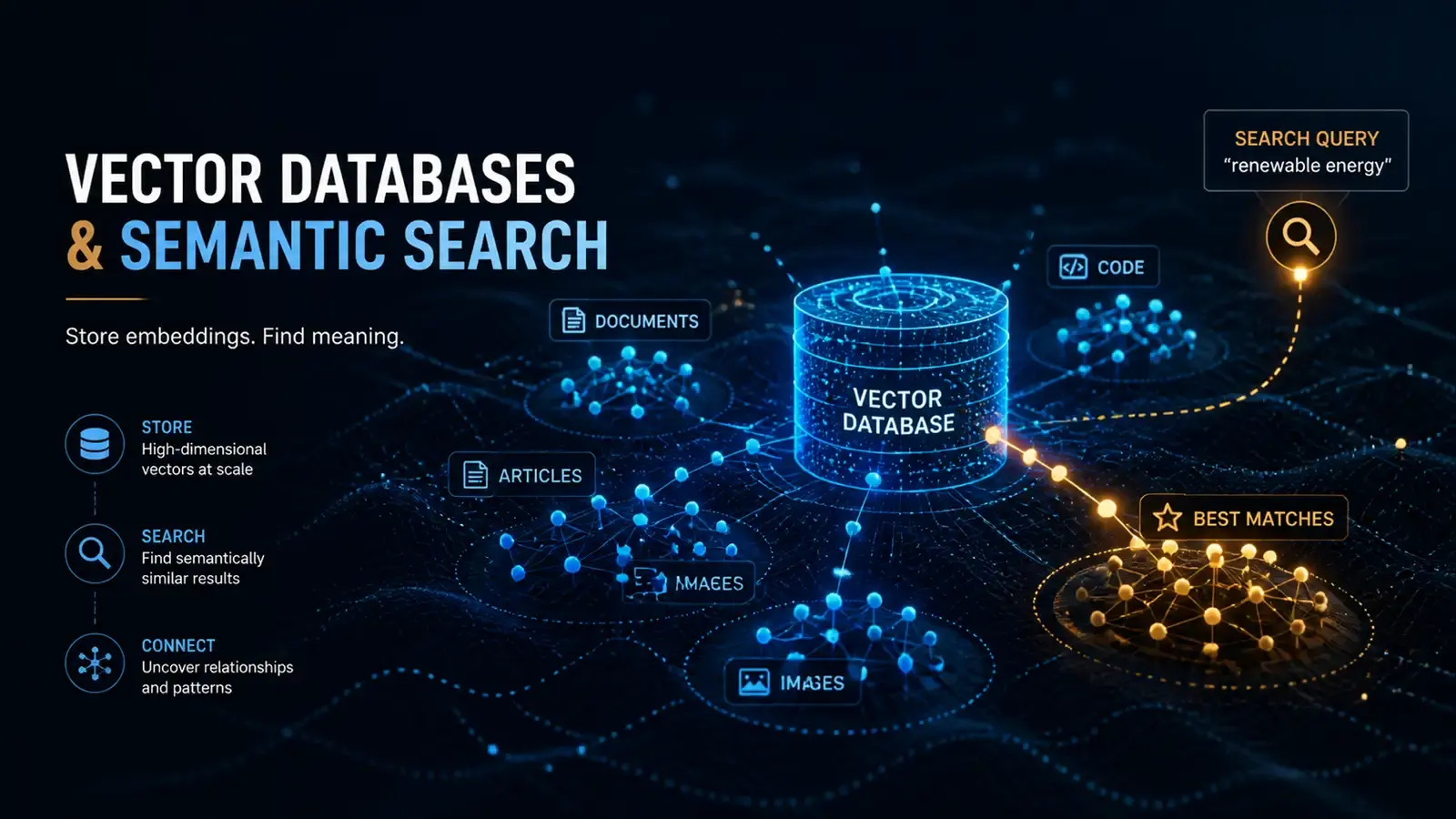
Most RAG tutorials show you how to call an API and skip to “and that’s it.” But a useful RAG pipeline requires understanding how every piece works: how documents get chunked, how embeddings are generated, how retrieval matches queries to content, and how context gets injected into prompts. This tutorial builds a complete RAG pipeline from scratch, with runnable code and explanations at every step.
Why RAG matters
Large language models have two fundamental limitations: their knowledge has a cutoff date, and they cannot access your private data. RAG (Retrieval-Augmented Generation) solves both problems. The concept is straightforward: before the model answers a question, retrieve relevant content from your data sources and include it as context in the prompt.
The benefits are twofold. First, the model’s answers are grounded in real data rather than memory, which reduces hallucination. Second, you can update your data sources at any time without retraining the model. According to Anthropic’s documentation, RAG is currently one of the most effective methods for reducing LLM hallucination in production systems.
The tradeoff is that RAG adds complexity to your application. You need to manage a vector database, handle document ingestion, and tune retrieval parameters. But for most use cases, this complexity is worth it. A well-built RAG system can answer questions about your company’s documentation, your research papers, or your personal notes with accuracy that a standalone LLM simply cannot match.
There are also cost benefits. Instead of fine-tuning a model on your data (which can cost thousands of dollars and requires retraining whenever your data changes), RAG lets you use a pre-trained model and simply update your vector database. The embedding and storage costs are typically a fraction of fine-tuning expenses.
Environment setup
You need Python 3.10 or later. Install the required packages:
pip install chromadb openai langchain langchain-community tiktokenChromaDB is our vector database. It is lightweight, requires no separate server, and works well for rapid prototyping. OpenAI handles embedding generation and final answer generation. LangChain provides document splitting and pipeline orchestration tools.
Step 1: Load documents
The first step in a RAG pipeline is loading your data into the system. Supported formats include plain text, Markdown, and PDF. Start with plain text:
from langchain_community.document_loaders import TextLoader, DirectoryLoader

# Load a single file
loader = TextLoader("knowledge_base/article1.txt")
documents = loader.load()

# Or load an entire directory
loader = DirectoryLoader("./knowledge_base/", glob="**/*.txt")
documents = loader.load()

print(f"Loaded {len(documents)} documents")
Each Document object has two main attributes: page_content (the document text) and metadata (source information, page numbers, etc.). This metadata is useful in retrieval results for helping users verify where answers come from.
Step 2: Split documents
Language model context windows are limited, and stuffing an entire document into a prompt rarely works well. You need to split documents into appropriately sized chunks. The splitting strategy directly affects retrieval quality, and getting it wrong is the most common reason RAG systems underperform.
The key parameters are chunk size and overlap. Chunk size determines how much text each chunk contains. Too small and you lose surrounding context that helps the model understand the content. Too large and you introduce irrelevant information that dilutes the retrieval results. Chunk overlap ensures that content at the boundaries between chunks is not lost. Without overlap, a sentence that spans two chunks would be partially represented in both, making it harder for the retrieval system to find the complete thought.
For most use cases, starting with 500 characters per chunk and 50 characters of overlap produces good results. You will likely need to tune these values for your specific data. Longer documents with dense information may benefit from smaller chunks, while conversational or narrative content may work better with larger ones.
from langchain.text_splitter import RecursiveCharacterTextSplitter

text_splitter = RecursiveCharacterTextSplitter(
    chunk_size=500,        # Max characters per chunk
    chunk_overlap=50,      # Overlap between chunks
    length_function=len,
    separators=["\n\n", "\n", ".", "!", "?", ",", " "]
)

chunks = text_splitter.split_documents(documents)
print(f"Split into {len(chunks)} chunks")
A chunk_size of 500 is a reasonable starting point. Too small loses context; too large introduces irrelevant information. The chunk_overlap of 50 ensures content near split points is not lost. For Chinese text, use Chinese punctuation as separators to ensure natural break points.
Step 3: Generate embeddings
Embeddings convert text into numerical representations, allowing us to calculate text similarity mathematically.
import chromadb
from chromadb.utils import embedding_functions

# Use ChromaDB's built-in embedding function (based on sentence-transformers)
ef = embedding_functions.DefaultEmbeddingFunction()

# Create or connect to vector database
client = chromadb.PersistentClient(path="./chroma_db")
collection = client.get_or_create_collection(
    name="knowledge_base",
    embedding_function=ef
)

# Add chunks to the database
texts = [chunk.page_content for chunk in chunks]
metadatas = [chunk.metadata for chunk in chunks]
ids = [f"chunk_{i}" for i in range(len(chunks))]

collection.add(
    documents=texts,
    metadatas=metadatas,
    ids=ids
)

print(f"Indexed {collection.count()} chunks")
ChromaDB’s DefaultEmbeddingFunction uses the all-MiniLM-L6-v2 model, a free local embedding model that requires no API key. For scenarios requiring higher quality embeddings, replace it with OpenAI’s text-embedding-3-small model.
Step 4: Retrieve relevant content
When a user asks a question, the system needs to find the most relevant chunks from the vector database. This is the core of the RAG pipeline, and where most of the quality gains come from.
Retrieval works by converting the user’s query into an embedding vector using the same model that was used to index the documents. Then it calculates the distance between the query vector and every chunk vector in the database. The chunks with the smallest distances (or highest similarity scores) are returned as results.
The number of results to return (n_results) is an important parameter. Too few and you might miss relevant context. Too many and you might overwhelm the model with irrelevant information. Three to five results is a good starting point for most use cases. You can then tune this based on your evaluation results.
One important detail is the relevance score. ChromaDB returns distances, which are inverse to similarity. A distance of 0 means identical vectors; larger distances mean less similar content. Converting to a similarity score (1 minus distance) makes the results more intuitive to work with. In practice, filtering out results with low similarity scores improves answer quality significantly.
def retrieve(query: str, n_results: int = 3) -> list:
    """Retrieve the most relevant chunks for a query"""
    results = collection.query(
        query_texts=[query],
        n_results=n_results
    )

    retrieved = []
    for i, doc in enumerate(results["documents"][0]):
        metadata = results["metadatas"][0][i]
        distance = results["distances"][0][i]
        retrieved.append({
            "content": doc,
            "source": metadata.get("source", "unknown"),
            "relevance_score": 1 - distance  # Convert to similarity score
        })

    return retrieved

# Test retrieval
results = retrieve("What is RAG?")
for r in results:
    print(f"[{r['relevance_score']:.3f}] {r['source']}")
    print(f"  {r['content'][:100]}...")
    print()
Retrieval returns the most similar chunks along with their source information. A relevance_score near 1 means highly relevant; near 0 means not very relevant. In practice, only use results with scores above 0.7.
Step 5: Generate answers
The final step is injecting retrieved content into the prompt so the LLM can generate an answer based on that context. This is where the retrieval and generation halves of RAG come together.
The prompt structure matters more than most people realize. You need to clearly separate the context from the question, and you need to give the model explicit instructions about how to use the context. The system message should tell the model to answer based on the provided context and to cite its sources. This grounding instruction reduces the tendency to hallucinate or use knowledge from outside the retrieved content.
Temperature control is also important for RAG applications. A low temperature (0.3 or lower) produces more consistent, fact-based answers. Higher temperatures introduce randomness that can lead to creative but inaccurate responses. For most knowledge-based applications, keep the temperature low and increase it only for tasks that benefit from variety, such as brainstorming or content generation.
from openai import OpenAI

client = OpenAI()

def rag_answer(query: str, n_results: int = 3) -> dict:
    """RAG pipeline: retrieve + generate"""
    # Retrieve
    contexts = retrieve(query, n_results)

    # Assemble context
    context_text = "\n\n---\n\n".join([
        f"Source: {c['source']}\nContent: {c['content']}"
        for c in contexts
    ])

    # Generate answer
    response = client.chat.completions.create(
        model="gpt-4o-mini",
        messages=[
            {
                "role": "system",
                "content": """You are a knowledge assistant. Answer questions based on the provided context.
If the context does not contain relevant information, clearly state "Cannot answer based on available data."
Cite sources in your answers."""
            },
            {
                "role": "user",
                "content": f"""Context:
{context_text}

Question: {query}"""
            }
        ],
        temperature=0.3
    )

    return {
        "answer": response.choices[0].message.content,
        "sources": [c["source"] for c in contexts]
    }

# Test
result = rag_answer("How does RAG work?")
print(result["answer"])
print(f"\nSources: {result['sources']}")
Setting temperature to 0.3 makes answers more stable and fact-based. For creative writing or brainstorming scenarios, increase this value.
Step 6: Evaluate and optimize
Building the pipeline is only the first step. The real challenge is keeping it performing well over time. RAG systems degrade silently: your data changes, user queries shift, and the retrieval quality drifts without obvious warning signs.
Key metrics to track:
- Retrieval precision: What percentage of retrieved chunks are relevant to the query? Target: above 80%. Low precision means your chunking strategy or embedding model needs adjustment.
- Retrieval recall: Of all the relevant chunks in your database, what percentage did the retrieval find? Low recall means you might need to increase n_results or improve your embedding model.
- Answer faithfulness: Is the answer based on retrieved content, or did the model fabricate information? This is the hardest metric to measure automatically, but manual spot-checks during development catch most issues.
- Response time: Latency from query to answer. Target: under 3 seconds for interactive applications. If you exceed this, consider caching frequent queries or optimizing your embedding model.
The most impactful optimization is usually adjusting chunk size. If retrieval precision is low, try smaller chunks. If recall is low, try larger chunks or increase n_results. Embedding model selection is the second most impactful factor. The default ChromaDB model works well for English but may underperform for multilingual or domain-specific content.
# Simple evaluation script
test_queries = [
    "What is RAG?",
    "How do vector databases work?",
    "What are best practices for document splitting?"
]

for q in test_queries:
    result = rag_answer(q)
    print(f"Q: {q}")
    print(f"A: {result['answer'][:200]}...")
    print(f"Sources: {result['sources']}")
    print("---")
Common optimization directions include adjusting chunk_size, trying different embedding models, adding a reranking step, and improving prompt templates.
Full code
Combining all steps, the complete RAG pipeline is roughly 100 lines of code. You can encapsulate it in a class for reuse across projects. The class handles document ingestion, chunking, embedding, storage, retrieval, and answer generation in a single interface. This makes it easy to swap out components — for example, replacing ChromaDB with Pinecone for production deployments, or switching from OpenAI embeddings to a local model for privacy-sensitive applications.
The class design follows the principle of separation of concerns. Ingestion handles document loading and chunking. Retrieval handles vector search and result formatting. Generation handles prompt construction and LLM calls. Each component can be tested and optimized independently, which is important for maintaining quality as your system grows.
One thing to note about production deployments: the example code uses ChromaDB’s persistent storage, which writes to disk. For high-traffic applications, you may want to use ChromaDB’s client-server mode or switch to a dedicated vector database service. The interface stays the same — you just change the initialization parameters.
class SimpleRAG:
    def __init__(self, db_path="./chroma_db", collection_name="knowledge_base"):
        self.client = chromadb.PersistentClient(path=db_path)
        self.ef = embedding_functions.DefaultEmbeddingFunction()
        self.collection = self.client.get_or_create_collection(
            name=collection_name,
            embedding_function=self.ef
        )

    def ingest(self, documents):
        """Load and index documents"""
        splitter = RecursiveCharacterTextSplitter(
            chunk_size=500, chunk_overlap=50,
            separators=["\n\n", "\n", ".", "!", "?", ",", " "]
        )
        chunks = splitter.split_documents(documents)

        self.collection.add(
            documents=[c.page_content for c in chunks],
            metadatas=[c.metadata for c in chunks],
            ids=[f"chunk_{i}" for i in range(len(chunks))]
        )
        return len(chunks)

    def query(self, question, n_results=3):
        """Query and generate answer"""
        results = self.collection.query(
            query_texts=[question], n_results=n_results
        )
        contexts = results["documents"][0]
        sources = [m.get("source", "") for m in results["metadatas"][0]]

        context_text = "\n\n".join(contexts)
        response = client.chat.completions.create(
            model="gpt-4o-mini",
            messages=[
                {"role": "system", "content": "Answer questions based on context. Cite sources."},
                {"role": "user", "content": f"Context:\n{context_text}\n\nQuestion: {question}"}
            ],
            temperature=0.3
        )
        return response.choices[0].message.content
Next steps
This tutorial builds a fully functional RAG pipeline, but it is just the starting point. The field is moving fast, and there are several directions worth exploring once you have the basics working.
- Hybrid search: Combine keyword search (BM25) with semantic search to improve retrieval quality. Keyword search excels at finding exact matches (product names, error codes, specific terms), while semantic search handles conceptual queries. Using both together typically outperforms either approach alone.
- Reranking: Use a Cross-Encoder model to reorder retrieval results. The initial retrieval uses a fast but approximate method; reranking then evaluates the top results with a more accurate but slower model. This two-stage approach improves precision without sacrificing speed.
- Multimodal RAG: Support retrieval of images, tables, and other non-text content. This requires specialized embedding models that can handle multiple modalities, but the basic pipeline structure remains the same.
- Conversational RAG: Support multi-turn conversations that remember previous context. This requires maintaining conversation history and incorporating it into the retrieval query, which adds complexity but significantly improves the user experience.
- Agentic RAG: Let an AI agent decide when and how to retrieve information, rather than retrieving for every query. This approach uses tool-calling capabilities to determine whether retrieval is necessary, which can reduce latency and improve relevance for straightforward questions.
RAG technology is evolving rapidly. Once you understand these foundational concepts, you can follow the latest developments in this field and build more complex systems tailored to your specific needs. The key is to start simple, measure everything, and iterate based on real user feedback rather than theoretical perfection.
Reader Dispatches
No reader responses yet. Share your technical perspective below.
Related Posts
How to Audit AI-Generated Code: 5 Security Checks Your LLM Won't Do for You
Veracode's 2026 report found AI-generated code passes security checks only 56% of the time. Here's a practical audit checklist that catches what Copilot and Cursor miss.
AI Coding Assistants Are Making You Worse at Your Job — Here's How to Fix That
AI coding tools save time on boilerplate but quietly erode the skills that make you valuable. A practical workflow guide for using them without losing yourself.
Beyond the Chat: Automating Claude Code with Hooks, Skills, and MCP
Claude Code is more than a coding chatbot. Learn how to set up event-driven hooks, custom skills, and MCP integrations to turn it into an automated development workstation — with real configuration examples.