Stop Doom-Scrolling Your AI Chats: Why ChatTOC Is the Missing Interface Layer We Need
ChatTOC is a browser extension that adds a navigation sidebar to ChatGPT, Claude, and DeepSeek. This guide explains how it works, how to configure it, and its limits.
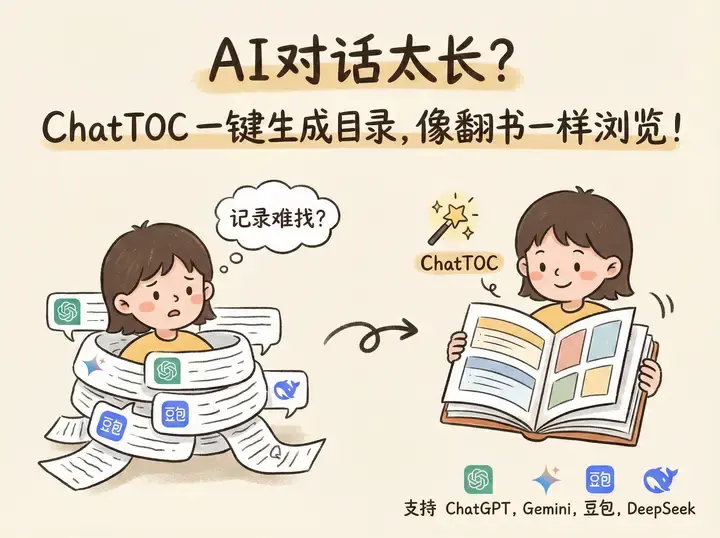
We need to talk about the “Infinite Scroll of Doom.”
If you are anything like me, your relationship with AI chatbots (be it ChatGPT, Claude, or the rising star DeepSeek) follows a predictable, chaotic pattern. You start with a simple question. Then comes a follow-up. Then a code refactor. Then a tangent about database schemas.
Forty-five minutes later, you are staring at a linear wall of text that is 50 messages deep. You know the specific API key configuration you generated is somewhere up there, probably around message #12, but finding it involves frantic scrolling, hoping your eyes catch the right syntax highlighting.
The fundamental UI problem with modern LLMs is that they treat knowledge as a stream, but humans retrieve knowledge as a structure.
This is where ChatTOC steps in. It’s a browser extension that seems deceptively simple—it adds a Table of Contents to your AI chats—but in practice, it fundamentally changes how you interact with long-context models.
This guide covers why the tool matters, how to configure it, and where it still has room to grow.
The Problem: Linearity vs. Random Access
Current AI interfaces are designed for conversation, not documentation.
When you are chatting with a friend, you rarely need to jump back 30 messages to reference a specific sentence. But when you are co-coding with Claude 3.5 Sonnet or drafting a legal brief with GPT-4, that conversation is actually a draft document.
The native interfaces fail at this:
- ChatGPT: Has a search function, but it’s clunky and often searches all history, not just the current thread context effectively.
- Claude: Introduced “Artifacts” to separate code/docs from chat, which helps, but the conversation itself remains a long, unnavigable ribbon.
- DeepSeek/Local Models: Often have even more bare-bones interfaces.
ChatTOC fixes this by parsing the DOM (Document Object Model) of the chat page and generating a sidebar navigation based on the questions you asked and the headers in the AI’s response.
Core Features: More Than Just a List
At first glance, it looks like a simple header scraper. But digging into the settings, there is a workflow engine here.
1. The “Anchor” Mechanism
The extension identifies user prompts and AI responses, creating clickable anchors.
- User Prompts: Automatically become H1-level items in the sidebar.
- AI Headers: If the AI uses Markdown headers (
#,##) in its response, ChatTOC nests these as sub-items.
This is brilliant for developers. If you ask an AI to “Explain the code,” and it breaks it down into “Initialization,” “Loop Logic,” and “Return,” those sections become clickable sub-menus in your sidebar.
2. Local-First Privacy 🛡️
Privacy matters for a tool that reads your chats. According to its documentation, ChatTOC processes everything locally.
It does not send your chat history to a third-party server to be parsed. The parsing logic happens in your browser’s JavaScript engine. This is crucial for enterprise users who might be pasting sensitive stack traces or proprietary data into an enterprise instance of ChatGPT.
3. The “Export to Knowledge Base” Pipeline
The most underrated feature is the export function. You can export the TOC and the content as Markdown or JSON.
Why does this matter? Because it bridges the gap between Ephemeral Chat and Permanent Knowledge.
After a productive brainstorming session, you can export the conversation as a clean Markdown file and drop it into Obsidian or Notion instead of leaving it buried in chat history.
Hands-On: Configuring Custom Sites
One of the coolest features mentioned in the documentation is “Cross-site adaptation” with custom rules.
The extension supports the big players out of the box:
- ChatGPT
- Claude
- Gemini
- DeepSeek
- Grok
- Kimi / Doubao (popular in China)
But what if you are using a self-hosted LLM UI, like Open WebUI or a niche platform?
You can actually configure ChatTOC to work on any site by defining the CSS selectors. This turns the tool from a “ChatGPT plugin” into a universal web reader.
Here is a technical breakdown of how you would configure this for a hypothetical self-hosted Llama 3 instance running on a custom interface.
The Configuration Logic
You need to tell ChatTOC three things:
- Container: Where is the chat window?
- Item: What constitutes a single message block?
- Target: Where is the text content inside that block?
If you were setting this up for a custom tool, the JSON configuration (in the extension settings) might look something like this:
{
  "siteName": "My Local Llama",
  "urlPattern": "localhost:3000/chat/*",
  "selectors": {
    "messageContainer": ".chat-scroll-area",
    "userMessage": {
      "selector": ".message-user",
      "content": ".text-content"
    },
    "aiMessage": {
      "selector": ".message-bot",
      "content": ".markdown-body",
      "headers": ["h1", "h2", "h3"]
    }
  },
  "behavior": {
    "autoScroll": true,
    "debounceMs": 500
  }
}
💡 Pro Tip: To find these selectors, right-click on your chat interface, select Inspect, and look for the class names of the message bubbles. If the class names are randomized (e.g.,
css-1a2b3c), look for stable attributes likedata-testid.
The Workflow: From Chaos to Order
Here is an illustrative scenario showing where a table of contents helps.
The Task: Migrating a legacy Python script to Rust using Claude 3.5 Sonnet.
Without ChatTOC:
- You paste the Python code.
- Claude gives a partial translation.
- You ask for error fixes.
- We go back and forth on borrowing rules.
- Result: A 60-message thread. Finding the final version of the
structdefinition means scrolling up and down through the thread.
With ChatTOC:
- As the conversation grows, the sidebar fills up.
- Entries appear such as:
- #12: Fix borrow checker error in main loop
- #15: Final Struct Definition
- #18: Cargo.toml dependencies
- Clicking “#15” jumps straight to the code block.
- The Highlight feature can mark the
Cargo.tomldependency list so it is easy to find again.
Code Export Example
An export to JSON strips away the UI and keeps structured data. The example below is illustrative:
{
  "meta": {
    "platform": "Claude",
    "date": "2024-01-22",
    "title": "Python to Rust Migration"
  },
  "toc": [
    {
      "id": "msg-12",
      "role": "user",
      "summary": "How do I handle the lifetime here?",
      "timestamp": "10:42 AM"
    },
    {
      "id": "msg-13",
      "role": "assistant",
      "summary": "Using Arc and Mutex",
      "hasCodeBlock": true
    }
  ]
}
Note: The actual output format may vary slightly depending on the version, but the schema is consistently logical.
Critical Analysis: The Good, The Bad, and The Brittle
It’s not all sunshine and rainbows. As with any extension that relies on DOM manipulation, there are risks.
✅ The Good
- Performance: It is designed to be lightweight, since parsing happens in the page itself.
- Universal Search: The search bar in ChatTOC searches the content of the chat, not just the titles. It highlights the text in the main window immediately.
- Zero-Config for Majors: If you use the standard ChatGPT/Claude URLs, it just works.
❌ The Bad (and The Risks)
- The “Class Name” War: AI platforms update their UI code constantly. OpenAI is notorious for changing their CSS class names (e.g., changing
.text-baseto.w-full). When this happens, ChatTOC will break until the developer pushes an update or you manually update the selectors. - Screen Real Estate: On a 13-inch laptop, the sidebar can feel cramped. While it’s collapsible, it competes for space with the native sidebars of tools like Claude.
- Mobile: Obviously, this is a desktop-only solution.
Comparison: ChatTOC vs. The World
Is this the only tool doing this? No. But it might be the most focused.
| Feature | ChatTOC | Superpower ChatGPT | Native Browser Search |
|---|---|---|---|
| Primary Function | Navigation / TOC | Feature Suite (Folders, Sync, etc.) | Text Finding |
| Cross-Platform | ✅ Yes (All major LLMs) | ❌ No (ChatGPT only) | ✅ Yes |
| Weight | 🪶 Lightweight | 🐘 Heavy | 🪶 Native |
| Privacy | ✅ Local Processing | ⚠️ Syncs to their server (optional) | ✅ Local |
| Export | Markdown / JSON | Multiple formats | None |
Superpower ChatGPT is the 800lb gorilla in this space, but it is bloated. It adds folders, newsletters, community prompts, and a kitchen sink of features. If you just want to navigate your chat, ChatTOC is the cleaner, faster option.
Verdict: A Necessary Patch for Immature UIs
ChatTOC shouldn’t need to exist. Ideally, OpenAI and Anthropic should realize that long conversations require navigation structures and build this natively.
But until they do, ChatTOC is an essential utility for power users. It transforms the AI chat experience from a “scroll and pray” activity into a structured research workflow.
Who should install this?
- Developers: For navigating long debugging sessions.
- Writers: For organizing long-form content generation.
- Researchers: For keeping track of multi-step reasoning chains.
Final Recommendation: Install it. It’s free, local, and solves a specific pain point with elegance. Just keep in mind that you are at the mercy of the developer keeping up with UI changes from the AI giants.
Quick Start Guide
- Install: Get it from the Chrome Web Store (search “ChatTOC”).
- Pin It: Pin the extension to your toolbar for easy access to settings.
- Refresh: You must refresh your existing chat tabs after installation for the script to inject.
- Test: Open a long chat, and look for the small toggle icon usually floating on the right or top-right of the screen.
Happy navigating. 🚀
Reader Dispatches
No reader responses yet. Share your technical perspective below.
Related Posts
Stop Babysitting Your Terminal: A Deep Dive into 'Happy' and the Future of Remote AI Agent Control
Stop staring at your terminal while AI agents run. Happy is an open-source tool that lets you monitor and control Claude Code from your phone. Here's the technical breakdown and security analysis.
MetaGPT: Stop Chatting with AI, Start Managing an AI Software Company
MetaGPT treats LLMs as a structured software company with PMs, Architects, and Engineers—not just chatbots with tools. Here's how to deploy your own digital workforce.
UI UX Pro Max: Injecting Design Intelligence into Claude Code & Cursor
AI coding assistants are great at logic but terrible at aesthetics. UI UX Pro Max changes that by acting as a 'Design Intelligence' skill for your AI workflow. Here's how it works.