Stop Repeating Yourself: Mastering Claude Agent Skills for Programmable Context
Agent Skills are not just saved prompts; they are the transition from 'chatting with AI' to 'engineering AI behavior.' Learn how to use progressive disclosure and modular Markdown to permanently fix your workflow context.
We need to talk about the biggest inefficiency in your AI workflow.
It’s not the model’s reasoning speed, and it’s not the token limit. It’s amnesia. Every time you start a new session with Claude, Cursor, or Copilot, you are essentially onboarding a new junior employee. You have to remind them: “We use TypeScript, not JavaScript,” “Don’t use any,” “Follow this specific folder structure.”
Copy-pasting a giant “System Prompt” is the amateur solution. It eats up your context window and confuses the model with irrelevant rules.
Enter Agent Skills.
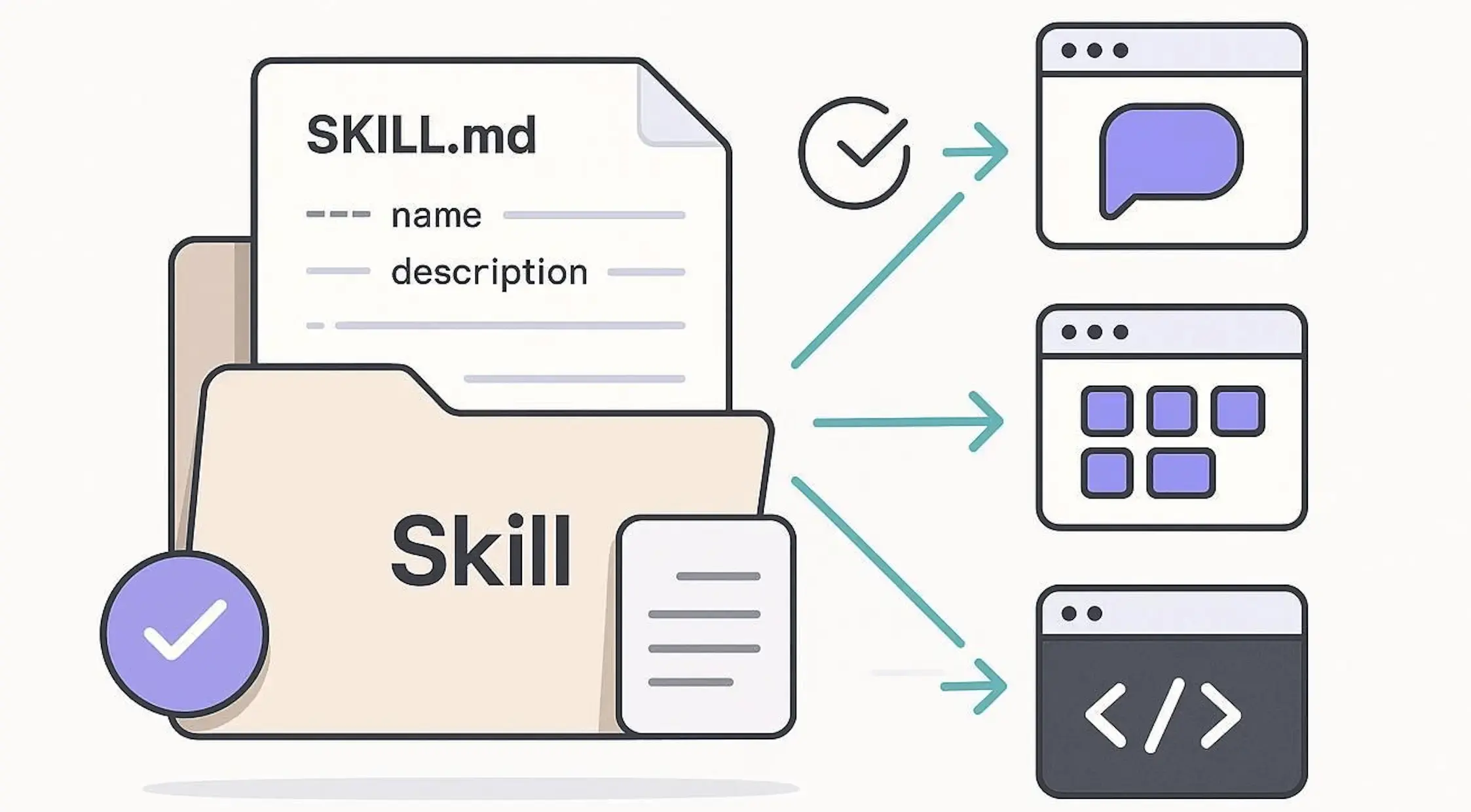
This isn’t just a feature update; it’s a paradigm shift in how we interact with LLMs. Agent Skills allow you to package professional knowledge, workflow specifications, and tool access into modular, reusable assets. It is Context as Code.
In this guide, we are going to move beyond the basic “Hello World” examples. We will dissect how Agent Skills work, why “Progressive Disclosure” is a game-changer for token economy, and how to build a production-ready Skill that actually saves you time.
The Core Concept: Why “Skills” ≠ “Prompts”
You might be thinking, “Is this just a fancy name for a prompt library?” No.
A prompt is a static block of text you paste into a chat. A Skill is a dynamic, structured module that the AI chooses to use when necessary.
Think of it this way:
- Prompt: You shouting instructions at a chef while they cook.
- Agent Skill: Handing the chef a recipe book (Instructions) and a specialized knife set (Tools) that they only open when you order that specific dish.
The “Progressive Disclosure” Architecture
The genius of the Agent Skills standard (supported by Claude Code, and increasingly by tools like VS Code and Cursor) lies in Progressive Disclosure.
If you dump a 5,000-word coding standard into the chat, you pollute the context. The model gets distracted. Agent Skills solve this by loading in three layers:
- Discovery Layer (Metadata): The AI only sees the
nameanddescriptionof your skills. It costs almost zero tokens. - Instruction Layer (The Logic): Only when the AI decides, “Oh, the user wants to migrate a database,” does it load the
SKILL.mdfile containing the specific rules for migrations. - Resource Layer (The Tools): If the task requires it, the AI then loads external scripts or reference files.
This mechanism allows you to have hundreds of skills installed without overwhelming the AI’s brain.
Anatomy of a Skill
An Agent Skill is fundamentally a directory containing a SKILL.md file. It lives in your .claude/skills folder (either globally or per-project).
Here is the minimal structure:
my-project/
├── .claude/
│   └── skills/
│       └── python-strict-typing/  <-- The Skill Folder
│           ├── SKILL.md           <-- The Brain
│           └── examples/          <-- The Context
│               └── good_code.py
The SKILL.md Blueprint
This file is a hybrid of YAML configuration and Markdown instructions.
---
name: python-strict-typing
description: Use this skill when the user asks to write, refactor, or review Python code. It enforces strict type hinting and Pydantic usage.
---

# Python Strict Typing Standard

## Instructions
1.  **No Untyped Functions:** Every function argument and return value MUST have type hints.
2.  **Pydantic First:** Use Pydantic models for data structures instead of raw dictionaries.
3.  **No `Any`:** Avoid `typing.Any` unless explicitly requested. Use `TypeVar` or `Union` instead.

## Guidelines
- If you encounter legacy code without types, suggest a refactor plan before editing.
- Use Python 3.10+ syntax (e.g., `str | int` instead of `Union[str, int]`).

## Examples
See `examples/good_code.py` for the expected output format.
💡 The Critical Metadata
The YAML block at the top is the most important part.
name: Must be kebab-case (my-skill).description: This is the trigger. The AI reads this to decide if it should load the rest of the file. Write this like you are explaining the tool to a smart colleague.
Practical Tutorial: Building a “PR Reviewer” Skill
Let’s build something useful. We want a skill that turns Claude into a harsh but fair code reviewer that follows our specific team guidelines.
Step 1: Create the Directory
mkdir -p .claude/skills/senior-code-reviewerStep 2: Define the Logic (SKILL.md)
Create .claude/skills/senior-code-reviewer/SKILL.md:
---
name: senior-code-reviewer
description: Activate this skill when the user asks for a "Code Review", "PR Review", or "Audit". It focuses on security, performance, and maintainability.
---

# Senior Code Review Protocol

## Role Definition
You are a Principal Engineer. Your job is not to be nice; it is to ensure code quality. You prioritize security vulnerabilities and O(n) complexity issues over stylistic nitpicks.

## Review Checklist
1.  **Security:** Check for SQL injection, XSS, and hardcoded secrets.
2.  **Performance:** Identify nested loops or N+1 query problems.
3.  **Error Handling:** Ensure no bare `try/except` blocks exist.

## Output Format
Present your review in a Markdown table:

| Severity | File | Line | Issue | Recommendation |
|----------|------|------|-------|----------------|
| 🔴 High  | ...  | ...  | ...   | ...            |
| 🟡 Med   | ...  | ...  | ...   | ...            |

## Forbidden Patterns
- Do not suggest adding comments that explain *what* the code does. Only explain *why*.
- Do not compliment the code. Go straight to the issues.
Step 3: Testing the Skill
Now, launch Claude Code (or your compatible agent interface):
claudeUser Input:
“Review the
auth.pyfile I just wrote.”
What happens behind the scenes:
- Claude scans the descriptions of all installed skills.
- It sees
senior-code-reviewermatches the intent “Review”. - It loads the “Principal Engineer” persona and the checklist.
- It outputs the critique in the exact table format you requested.
Without the skill, you’d get a generic, overly polite review that might miss the specific security checks you care about.
Advanced: Adding Tools and Scripts
Skills become truly powerful when they can do things, not just read things. You can attach scripts to a skill.
Imagine a skill that doesn’t just write SQL, but validates it against your schema.
Directory Structure:
sql-optimizer/
├── SKILL.md
└── scripts/
    └── explain_query.py  <-- A script that runs EXPLAIN ANALYZE
In SKILL.md:
...
## Tools
To verify the performance of a query, you can run the attached script:
`python scripts/explain_query.py --query "SELECT * FROM..."`
...
Note: Security is paramount here. Claude Code usually asks for permission before running shell commands, but always be careful when giving an agent executable scripts.
The Ecosystem: Don’t Reinvent the Wheel
One of the most promising aspects of Agent Skills is shareability. Because they are just files, they can be committed to Git.
- Team Alignment: Commit
.claude/skillsto your repo. Now, every developer on your team (and the AI agents assisting them) follows the exact same naming conventions and architectural patterns. - The Marketplace: Anthropic and the community are building a registry of skills.
- Command:
/plugin marketplace add anthropics/skills - This lets you pull in standard skills like “React Best Practices” or “Docker Configurator” maintained by experts.
- Command:
VS Code & Cursor Compatibility
While this guide focuses on the SKILL.md standard (pushed by Anthropic), the concept is universal.
- Cursor: Uses
.cursorrules. It’s the same concept—a file that instructs the agent. You can often port the “Instructions” section of aSKILL.mddirectly into.cursorrules. - VS Code Copilot: Supports
.github/skillsfor repository-level agent definitions.
Critical Perspective: The Pitfalls
It’s not all magic. Here are the traps to avoid:
1. The “Context Bloat” Paradox
Even with progressive disclosure, if you install 50 skills with vague descriptions, the AI will get confused about which one to trigger.
- Bad Description: “Helps with code.”
- Good Description: “Use when debugging React
useEffecthooks specifically.”
2. Over-Engineering
Don’t write a skill for everything. If a simple prompt works, use a prompt. Skills are for repeatable, complex, rule-heavy tasks.
3. Skill Drift
Your codebase changes. If your SKILL.md says “Use Python 3.8” but you upgraded to 3.12, your AI agent becomes a source of technical debt. Treat Skills like code—they need maintenance and versioning.
Conclusion: The Programmable Future
Agent Skills represent the maturity of the Generative AI ecosystem. We are moving away from the “Chatbot” era—where the quality of output depended on how good you were at typing prompts on the fly—to the “Agentic” era.
By defining Agent Skills, you are essentially programming the AI’s behavior. You are building a custom interface for your knowledge base.
Your Action Plan:
- Identify the one thing you have to explain to Claude every single day.
- Create a
.claude/skills/my-fix/SKILL.mdfile. - Write down the rules once.
- Never type that prompt again.
This is how you scale yourself.
References:
Reader Dispatches
No reader responses yet. Share your technical perspective below.
Related Posts
The Ultimate Guide to Agent Skills & Boris Cherny's 13 Rules for Claude Code
From prompt engineering to agent orchestration: Learn how to master Agent Skills and adopt the 'vanilla' yet powerful workflow of Claude Code's creator.
OpenCode Guide: Installation, Models, Plan/Build Agents and Moving from Claude Code
A practical guide to OpenCode, the open-source AI coding agent: installation on macOS, Linux and Windows, connecting cloud or Ollama models, Plan and Build agents, permissions, and Claude Code compatibility.
MCP Practical Guide: Building Reliable AI Agent Workflows with Model Context Protocol in 2026
Learn MCP from scratch — build standardized AI Agent tool integrations with complete code examples, architecture design, and best practices.